


Boosted Ad Maker by Lightricks
4.31.38K Reviews
App Specs
- Version
- 1.8.6.1
- Updated On
- License
- Free
- Downloads
- 5,000,000+
- Developer
- Lightricks Ltd.
- Categories
- Video Players & Editors
- Platform
- Android
Screenshots
 Analysis by AppCompare
When I need a promotional video or social post quickly, I care less about having every editing control and more about getting from an idea to something I can publish without a laptop. That is the niche Boosted Ad Maker by Lightricks aims to fill. It is a free video-making app from Lightricks Ltd. in the video-editing space, built around ready-made designs rather than a blank timeline. I’d consider it for small campaigns, shop announcements, and social content where speed and a consistent look matter more than elaborate production.
What “quick” means in practice
The app’s template-first approach can shorten the part of the work that often slows a beginner down: deciding how to arrange text, images, and motion. Instead of planning every visual element from scratch, I can begin with a design that already has a promotional purpose and adapt it. That makes the first draft feel approachable, though “quick” still depends on having the right images, copy, and brand choices ready. A template cannot decide what offer I should make or which message deserves the most attention.
For a useful workflow, I’d write the headline and call to action before opening the editor, then choose a template that suits the amount of text. Keeping the message short helps avoid squeezing extra words into a layout that was designed for a simpler idea. I’d also prepare a small set of clear product or service images beforehand. Those two habits make the app’s shortcuts more valuable and reduce the temptation to keep switching designs just because the first one feels unfinished.
A realistic moment for using it
Imagine a café owner has a weekend special to announce and only a short break between other tasks. They can start with a promotional design, add a product photo, replace the sample wording with the offer, and shape the result for a social post. If the same announcement needs a different presentation for another placement, resizing can help adapt the layout rather than forcing a complete restart. I like this kind of narrow, practical job for a phone editor: one clear message, a few visual choices, and a deadline measured in minutes rather than a full design session.
The trade-off is that fast production can make different posts look too alike. If a business publishes often, I’d vary the source photos, color choices, and opening line instead of relying on one favorite template each time. I would also check the finished design at the size people will actually see it; small supporting text that seems readable while editing can lose importance on a phone screen. The app can speed up assembly, but a final glance for legibility and accuracy is still part of the job.
User-Friendly Interface
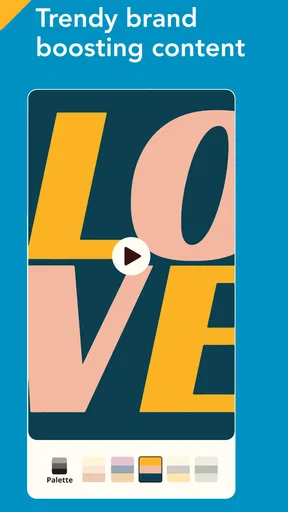
First things first, let's talk about the interface. It's sleek, intuitive, and surprisingly easy to navigate. Even if you're not exactly tech-savvy, you’ll find your way around without breaking a sweat. The home screen greets you with a variety of templates that are categorized by purpose—think social media, promotions, events, and more. This is a huge time-saver as it helps you jump right into creating without any fuss.
Templates Galore
Speaking of templates, Boosted Ad Maker by Lightricks truly shines here. With an extensive library, you’re spoilt for choice. Each template is designed to look professional and polished, which means you don’t have to start from scratch. Whether you’re crafting a post for Instagram or a story for Facebook, there’s something for every platform.
Worth Reading Before You Choose

EA SPORTS FC Mobile 26 Is a Bigger Football Game, but It Takes Time

Flipboard Shows What News Apps Must Do Beyond the Feed

Switching to Android Auto Means Rethinking Your Driving Routine

Google Calendar Makes a Crowded Week Easier to Manage

Ludo King Makes the Most of the Minutes Between Plans

Baby Panda World Brings Quick Play to Modern Phones, but Its Game Library Feels Busy
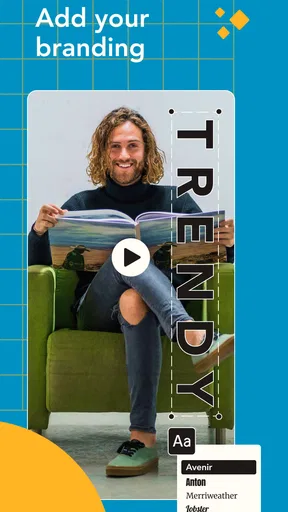
What I loved the most is the customization aspect. You can tweak every element, from fonts and colors to images and animations. This flexibility ensures that your ad stands out and aligns with your brand's identity. Plus, the drag-and-drop functionality makes editing a breeze.
Planning around a busier edit
The lightest jobs are likely to be a single announcement or a short promotional clip. A more involved session—trying several template directions, adjusting many design elements, adding motion, and preparing more than one layout—naturally asks more of the phone and of the person editing. I’d treat those as separate passes: settle the message and visual direction first, then refine details, and only afterward make alternate versions. That keeps a long editing session from turning into repeated, unfocused changes.
When an edit starts to feel sluggish, I would avoid making several changes at once and then trying to work out which one caused the slowdown. Save or otherwise preserve the current work when the app allows, make one change, and check the result before continuing. This is a general sensible precaution for mobile editing rather than a claim about a special recovery tool. If the phone is already busy, waiting until fewer apps are competing for its attention may make a demanding session more comfortable.
Features That Stand Out
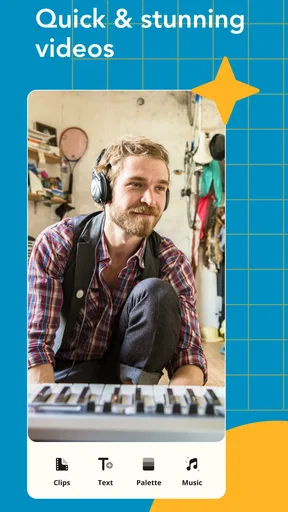
Now, let’s dive into some of the features that make this app a must-have. First up, the video editing tools are top-notch. You can easily add animations and transitions to your clips, giving your ads a dynamic edge. The app also allows you to add music from its built-in library, so you can perfectly match the vibe of your content.
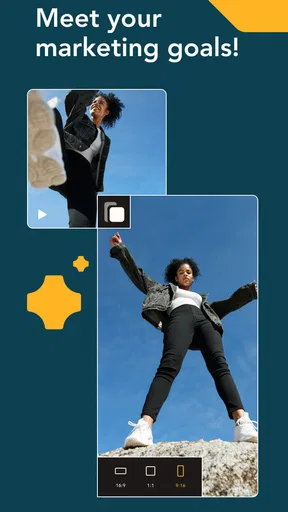
Another standout feature is the app’s ability to resize your creations for different platforms. With a single tap, you can adjust your design to fit Instagram's square format or Facebook's landscape view. This ensures your ads look great no matter where they’re displayed.
Small choices that improve the result
Resizing is most useful when I think of it as a fresh layout check, not a magic export button. A square composition and a landscape composition give the viewer’s eye different room to move, so I’d review where the main image and key text sit after changing formats. If the headline becomes crowded or a product is pushed to the edge, adjusting the composition is more helpful than accepting the first resized version automatically.
Music and animation can also compete with the message if every element is asking for attention. For a straightforward sale announcement, I’d keep movement focused on one or two details and choose audio that supports the mood rather than becoming the main event. The useful question is not “Can I add another effect?” but “Will this make the offer clearer?” That restraint is especially helpful when someone may watch while scrolling quickly or with limited attention.
Performance and Usability
Performance-wise, the app runs smoothly. I didn’t encounter any glitches or crashes, which is a massive plus. The rendering times are also quite fast, so you won’t be left twiddling your thumbs while your masterpiece exports.
One thing I noticed is that the app is quite resource-heavy, which means it might take a toll on older devices. It’s something to keep in mind if your phone isn’t exactly the latest model.
For heavier projects, I’d be realistic about what “fast” can mean on a phone: a short, simple design is a different workload from a clip with several animated elements and multiple revisions. If a preview or export takes longer than expected, I would first simplify the edit or close other demanding tasks rather than assume the project is lost. I would also avoid beginning a complicated campaign when I have no time to review the final result. A little breathing room makes it easier to notice a typo, an awkward crop, or a visual detail that needs attention.
How dependable is it for routine work?
My smooth experience is reassuring, but no single session can guarantee that every phone or project will behave identically. Stability can feel different depending on device age, available resources, and how much the edit asks the app to handle. For an important promotion, I’d keep the source images and wording handy until the finished version is safely ready to use, rather than treating the editing app as the only home for campaign material.
That is also why I’d build a small review step into the routine: watch the exported video from beginning to end, check that the text is correct, and confirm that the framing works in the intended placement. If something interrupts a session, having the original assets and copy close by makes it easier to reconstruct the work without relying on memory. I find that more useful than assuming any mobile editor can protect every draft from every interruption.
Device fit and editing limits
The app is free to install, is rated for Everyone, and its current version is 1.8.6.1. It supports devices running Android 8.0 or later. Those details make it accessible to many Android users, but software compatibility is not the same as a guarantee of equally comfortable editing on every supported phone. If your device is older or tends to struggle with media tasks, I’d begin with a small test project before planning a batch of ads.
There are optional in-app purchases, with items priced from $9.99 to $119.99. I’d explore the free experience first and decide whether it fits my actual workflow before spending. That is a sensible approach for anyone who only needs an occasional announcement; people producing campaign assets regularly may weigh paid options differently, but should still judge them by the tools they personally need rather than by the promise of more choices.
Who benefits most—and who may prefer another tool
This is a particularly natural fit for a solo seller, a local service, or a social media manager who needs polished promotional material without building each composition from an empty canvas. It can also suit a beginner who wants a guided starting point and is comfortable making creative decisions within a template. The app has reached over five million installs and has an average rating of 4.3 from around 89,000 ratings, suggesting it has found a substantial audience, though popularity alone cannot tell me whether its editing style suits a specific brand.
I would look elsewhere if the job depends on detailed timeline control, intricate sound editing, or a highly individual visual identity that cannot be expressed through the available designs. A full desktop editor is a better choice for a carefully layered campaign or a long-form video. A general-purpose mobile editor may also be preferable when the main task is cutting personal footage rather than assembling an advertisement. Boosted’s strength is its promotional starting point, not being the best answer to every video task.
Compared with beginning in a blank-canvas design app, the template approach offers quicker direction but less freedom at the outset. Compared with a conventional video editor, it puts promotional layouts and reusable visual structure closer to the center of the process. Neither approach is automatically superior: the right choice depends on whether I value a fast starting design or precise control over every part of the production.
Who Is It For?
If you’re a small business owner, social media manager, or just someone who loves creating content, this app is right up your alley. It's designed to cater to both beginners and seasoned designers alike. The ease of use combined with powerful features makes it a versatile tool for anyone looking to up their marketing game.
Final Thoughts
In a world where visual content is king, having a tool like Boosted Ad Maker by Lightricks in your pocket is invaluable. It takes the hassle out of creating professional-looking ads and lets you focus on what matters most—engaging your audience.
While it might not replace your desktop design software, it’s a fantastic complement that helps you create on-the-go. So, whether you’re at a café or on a train, you’ll have everything you need to create eye-catching content at your fingertips. Give it a try, and watch your ads come to life!
My practical verdict is that I’d reach for it when the goal is a clear, good-looking promotion made on a phone, especially when a template can get me past the blank-page stage. I would not choose it as my main tool for precision-heavy video production, and I’d test it on an older device before relying on it for a deadline. For the right kind of short-form marketing task, though, that balance of guided design and mobile convenience is genuinely useful.
Pros
- Easy-to-use interface for beginners.
- Wide variety of customizable templates.
- High-quality export options available.
- Frequent updates with new features.
- Integrates smoothly with social media.
Cons
- Limited free version features.
- Occasional app performance lags.
- Requires a stable internet connection.
- Subscription can be pricey for some.
- Some features hidden behind paywall.
FAQs for Boosted Ad Maker by Lightricks
What features does Boosted Ad Maker by Lightricks offer?
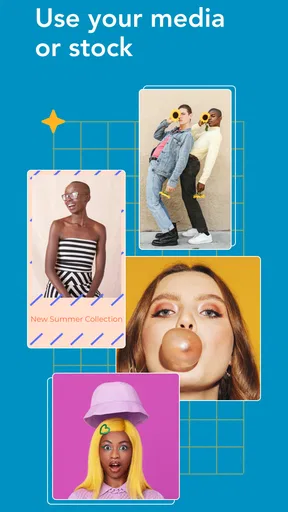
Boosted Ad Maker by Lightricks provides a comprehensive suite of tools for creating professional-quality advertisements. It includes customizable templates, stock footage, music tracks, and text animations. Users can easily modify these elements to suit their brand needs, making it ideal for social media campaigns, business promotions, and more.
Is Boosted Ad Maker user-friendly for beginners?
Yes, Boosted Ad Maker is designed with user-friendliness in mind, catering to both novices and experienced marketers. The intuitive interface guides users through the ad creation process with easy-to-follow instructions, allowing even those with no prior design experience to produce high-quality content efficiently.
Does Boosted Ad Maker support multiple social media platforms?
Absolutely, Boosted Ad Maker allows users to create ads optimized for various social media platforms, including Facebook, Instagram, and Twitter. The app offers specific templates and aspect ratios tailored to each platform, ensuring that your ads look perfect wherever they are shared.
Are there costs associated with using Boosted Ad Maker?
Boosted Ad Maker offers both free and premium plans. The free version provides access to basic features and templates, while the premium subscription unlocks advanced tools, exclusive content, and additional customization options. Users can choose a plan based on their needs and budget.
What kind of customer support is available for Boosted Ad Maker users?
Boosted Ad Maker offers a variety of customer support options, including a comprehensive help center with tutorials, FAQs, and troubleshooting guides. Users can also reach out to the support team via email for personalized assistance, ensuring a smooth experience while using the app.


